Tech Ideas & Best Practices
SharePoint Syntex, a part of Microsoft 365, is an AI-driven tool that empowers organizations to automate content management processes, enhance productivity, and ensure compliance across various types of content. Whether dealing with documents, images, videos, or app-managed content, Syntex offers a suite of features designed to optimize how information is captured, processed, and utilized within your organization. This blog will explore all the key features of SharePoint Syntex, categorized under Documents & Images, Video, Storage, and App Features.
Documents & Images
1. Autofill Columns
Feature Overview: Autofill Columns allow users to add prompts to specific columns in SharePoint lists or libraries to automatically extract or generate information from the contents of files stored within those locations.
Use Case: This feature is particularly useful for automating metadata generation, ensuring consistency across documents, and reducing the manual effort required to input data into SharePoint lists. For instance, legal teams can extract contract expiration dates or parties involved directly into corresponding columns.
2. Content Assembly
Feature Overview: Content Assembly enables users to create modern templates linked to data sources, such as SharePoint lists, to generate repetitive structured documents automatically.
Use Case: Organizations can streamline the creation of standard documents like contracts, proposals, or reports by pulling data directly from structured data sources, reducing errors, and ensuring consistency in document generation.
3. Document Translation
Feature Overview: The Document Translation feature allows users to create translated copies of documents directly within SharePoint Syntex.
Use Case: This feature is invaluable for global organizations that need to maintain multilingual versions of key documents, such as company policies or marketing materials. It ensures that all employees and stakeholders have access to documents in their preferred language.
4. eSignature (SUPPORTED REGIONS ONLY)
Feature Overview: eSignature functionality within SharePoint Syntex enables users to set up PDFs for electronic signatures by internal and external stakeholders.
Use Case: This feature simplifies the process of gathering signatures for contracts, agreements, and other formal documents, reducing the need for physical document handling and expediting approval processes.
5. Image Tagging
Feature Overview: Image Tagging allows users to categorize and label images with descriptive keywords automatically.
Use Case: This feature is particularly beneficial for marketing, media, and creative teams that manage large libraries of images. By automating the tagging process, it enhances the discoverability of images and improves organization within SharePoint libraries.
6. Optical Character Recognition (OCR)
Feature Overview: OCR capabilities in SharePoint Syntex enable enhanced search functionalities by recognizing and extracting text from images within documents.
Use Case: This feature is essential for organizations that deal with scanned documents, handwritten notes, or images that contain text. It allows users to search for and retrieve information from these documents as if they were regular text documents
7. Prebuilt Document Processing
Feature Overview: Prebuilt Document Processing models in Syntex allow users to configure pretrained models to extract information from common business documents like contracts, invoices, and receipts.
Use Case: These models are pre-trained to recognize and extract structured data from standard documents, making it easy for businesses to automate document processing without the need for extensive model training.
8. Structured and Freeform Document Processing
Feature Overview: This feature lets users train custom models to extract information from structured documents like forms or freeform documents like letters and contracts.
Use Case: Organizations can tailor these models to handle specific document formats unique to their business processes, such as customer service letters or legal contracts, enhancing the precision of data extraction.
9. Taxonomy Tagging
Feature Overview: Taxonomy Tagging automates the process of tagging files using terms from your organization’s managed metadata.
Use Case: This feature helps maintain consistency in how content is categorized and retrieved across the organization, which is critical for compliance and content management.
10. Unstructured Document Processing
Feature Overview: Unstructured Document Processing allows users to train custom models to classify and extract information from a wide range of file types, regardless of format.
Use Case: This feature is ideal for organizations dealing with a diverse array of document types that do not conform to a specific structure, enabling effective content management across various departments.
Video Features
Video Transcript Translation
Feature Overview: SharePoint Syntex allows for the translation of video transcripts and closed captioning files. This feature supports multiple languages and ensures that video content is accessible to a broader audience.
Use Case: Organizations with multilingual teams can use this feature to make video content understandable across different regions by providing translated transcripts or captions, thus improving communication and training efficiency.
Storage Features
1. Microsoft 365 Archive
Feature Overview: The Microsoft 365 Archive is a long-term storage solution for inactive or historical SharePoint content. It maintains the same searchability, security, and compliance standards as active data, ensuring that archived content remains accessible and compliant with organizational policies.
Use Case: Organizations can use the Microsoft 365 Archive to store large volumes of historical data securely, which is not frequently accessed but needs to be retained for compliance purposes.
2. Microsoft 365 Backup
Feature Overview: This feature provides backup and recovery capabilities for SharePoint, Exchange Online, and OneDrive for Business. It ensures that your content is securely backed up and can be restored efficiently in case of accidental deletion or other data loss scenarios.
Use Case: Organizations requiring robust data protection strategies can rely on Microsoft 365 Backup to ensure quick recovery of critical business data, minimizing downtime and data loss risks.
App Features
1. SharePoint Embedded
Feature Overview: SharePoint Embedded is a solution that allows developers to use the SharePoint file and document storage platform within their applications. This API-only solution creates secure, isolated storage partitions within a Microsoft 365 tenant that are accessible only through the specific app that created them.
Use Case: Independent Software Vendors (ISVs) and enterprises can utilize SharePoint Embedded to manage content securely within their applications while benefiting from Microsoft 365's advanced content management features like search, sharing, versioning, and compliance.
2. App-Managed Content Experiences
Feature Overview: Content stored by applications using SharePoint Embedded does not count toward the organization's SharePoint storage quota. Instead, it is billed separately via an Azure subscription based on the total storage used and the number of API calls.
Use Case: This feature is ideal for apps that require extensive storage but need to isolate their data from the organization's general SharePoint usage. It provides a flexible, scalable, and secure storage solution.
Conclusion
SharePoint Syntex is more than just a document management tool; it is a comprehensive AI-powered platform that enhances the way organizations handle a variety of content types, including documents, images, videos, and application-specific data. By automating key processes, improving accessibility, and ensuring robust data management, Syntex empowers businesses to operate more efficiently, stay compliant, and drive innovation.
Whether you are looking to streamline document processing, improve video accessibility, manage large volumes of data securely, or integrate content management capabilities into your apps, SharePoint Syntex offers a wide range of features to meet your needs. As organizations continue to adapt to the evolving digital landscape, the adoption of tools like Syntex will be crucial in maintaining a competitive edge and achieving operational excellence.

Comprehensive Guide to SharePoint Syntex Features and Use Cases: Unlocking the Power of AI for Content Management
SharePoint Syntex, a part of Microsoft 365, is an AI-driven tool that empowers organizations to automate content management processes, enhance productivity,

TL;DR
The simple answer is Yes and No. If you use a prompt into ChatGPT to generate a result, you cannot claim copyright protection for the output. On the bright side, if you modify the output in creative ways, it may be eligible for copyright protection! It's important to remember that only the parts of the work that are authored by humans can be copyrighted.
In a world where artificial intelligence is increasingly contributing to creative endeavours, a question arises regarding the copyrightability of AI-generated content. The debate surrounding this topic is complex and multifaceted. Hence, it requires a thorough examination to fully understand the issue. Let’s dive into this murky digital pool with a dash of wit.

Picture this: A robot tapping away at its keyboard, spewing out sonnets that would make Shakespeare blush. Now, who owns those sonnets? The robot? Its creator? Or perhaps the ghost of the Bard himself? Cue dramatic music.
Sure, AI can churn out content faster than a caffeinated squirrel on a treadmill, but does that mean it deserves the same copyright protections as human-made masterpieces? It’s like asking if a blender can claim royalties for the smoothie it blends.

Legal scholars are scratching their heads (and probably reaching for the Advil) trying to decipher this conundrum. After all, copyright law was crafted with human ingenuity in mind, not algorithms that binge-watch cat videos for inspiration.
On the flip side, denying AI copyright protection could stifle innovation faster than you can say “404 error.” Imagine a world where AI creators throw in the towel because they can’t monetize their digital brainchildren. It’s like telling a toddler they can’t keep their finger paintings.

So, can AI-generated content be copyrighted? The answer is about as clear as mud in a hurricane but there's some light at the end of this tunnel.
The U.S. Copyright Office has recently provided some guidance on this topic. AI-generated content can sometimes be copyrighted, according to David Siegel, partner at Grellas Shah LLP. Thus far, the Copyright Office, has explained that, for a work to be afforded copyright protection in the U.S., it must have a human author. Yet, Siegel said he is not sure what that means in the world of AI.
If the only human involvement is the input of a chat prompt into ChatGPT, for example, one cannot obtain copyright protection for the raw result of that prompt," Siegel said. On the other hand, if a user inputs a prompt into an AI tool, gets a response and then modifies the result in creative ways, that can potentially result in content afforded copyright protection. However, only human-authored parts of the work can be copyrighted.
One thing’s for sure: as long as there are humans behind the AI, there’ll be a legal circus worthy of the big top. Grab your popcorn and enjoy the show!
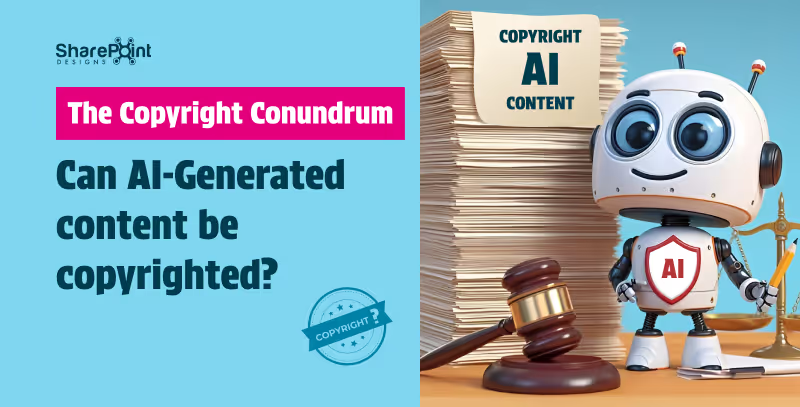
The Copyright Conundrum: Can AI-Generated Content be copyrighted
In a world where artificial intelligence is making strides in creative endeavours, one burning question arises: Can AI-generated content be copyrighted? It’s a debate that’s as perplexing as trying to teach a goldfish to fetch.

In the rapidly evolving digital landscape, Artificial Intelligence (AI) stands as a transformative force, reshaping how businesses operate, innovate, and deliver value to customers. As organizations embark on their AI journey, crafting a clear and strategic roadmap is imperative for unlocking AI's full potential. This guide outlines essential steps for business leaders to develop a robust AI strategy, ensuring successful integration and sustainable growth.
1. Aligning AI with Business Strategy
The journey begins by aligning AI initiatives with overarching business goals. Key actions include:

- Defining Business Objectives: Identify critical areas such as enhancing customer experience, boosting productivity, driving revenue growth, and enriching employee experience.
- Measuring Success: Establish metrics to gauge the impact and value of your AI-driven objectives.
- Prioritizing AI Use Cases: Select AI applications that align closely with your strategic goals, ensuring a focused approach to adoption.
- Investment Planning: Develop a portfolio management plan to guide investment in AI technologies, maximizing returns and strategic impact.
2. Crafting a Technology Strategy for AI
Technology serves as the backbone of AI implementation. Crucial considerations include:

- Application Strategy: Decide whether to buy existing solutions, modernize current applications, or build new AI applications from scratch.
- Infrastructure Assessment: Ensure your infrastructure supports secure, scalable, and efficient AI application deployment.
- Cloud vs. On-Premises: Evaluate hosting options for your data and AI applications, considering scalability, performance, and reliability.
- Zero Trust Security: Strengthen your security posture to protect data and AI assets against emerging threats, leveraging AI for enhanced security measures.
3. Developing an AI Strategy and Experience
To fully leverage AI, understanding and integrating generative AI into your business processes is key:

- Exploring Generative AI: Learn about generative AI applications and their potential to drive business innovation.
- Systematic AI Integration: Establish a process for evaluating AI's applicability across various use cases.
- Building Intelligent Apps: Utilize your data to develop apps that enhance the relevance and intelligence of AI model outputs.
- Leveraging Microsoft 365 Copilot: Consider using or developing your own AI copilot to expedite learning and value realization.
4. Fostering an Organizational Culture for AI
Success with AI transcends technology, deeply rooted in the organization's culture and operations:

- AI Operating Model: Define how AI will function within your organization, ensuring alignment with business strategies.
- Leadership and Support: Secure executive backing, underpinned by adequate resources and a vision for AI-driven transformation.
- Change Management: Strengthen your organization's adaptability to change, fostering an environment conducive to AI integration.
- Learning and Development: Implement learning paths and skill-building initiatives to empower your workforce with AI competencies.
5. Implementing AI Governance
Responsible AI use and governance are paramount for ethical and effective AI deployment:

- Responsible AI Practices: Share resources and adopt models that align with your organization's values and ethical standards.
- Governance Models: Choose a governance model (hub-and-spoke, centralized, distributed) that fits your organizational structure and needs.
- Secure AI Principles: Ensure comprehensive data protection, from the platform to applications and end-users.
- Data Privacy and Security: Develop processes and controls for AI governance, addressing data privacy and security implications.
Conclusion
Embarking on an AI journey requires meticulous planning, strategic alignment, and a commitment to ethical principles and continuous learning. By following this guide, leaders can lay a solid foundation for AI success, driving innovation and achieving strategic objectives. As AI continues to evolve, staying agile and informed will be key to leveraging AI's transformative potential.

Building a Foundation for AI Success: A Leader’s Guide
In the rapidly evolving digital landscape, Artificial Intelligence (AI) stands as a transformative force, reshaping how businesses operate, innovate, and deliver value to customers.
Navigating Microsoft Copilot: A Guide to Its Products
Microsoft’s AI offerings, such as Bing Chat and Microsoft 365 Copilot (including GitHub Copilot), are paving the way for a more productive future. These intelligent tools simplify tasks through features like conversational bots and custom searches tailored to your needs. Let’s explore how you can use Microsoft Copilots to optimize your workflow today.
The Pioneers of AI Productivity
Microsoft integrates AI across its products, making them user-friendly and intuitive.
- Bing Chat leverages large language models within Microsoft Edge.
- Integration with Microsoft Graph ensures seamless connection between apps and services.
Available Across:
- Bing
- Edge
- Microsoft 365
- Windows (Windows Copilot)
Microsoft recently launched a Copilot, offering a unified AI productivity experience in Windows 11, allowing users to manage tasks and settings through a centralized assistant.
1. Best for Integrated OS Experience - Microsoft Copilot
Microsoft Copilot in Windows 11 offers:
- AI-powered assistance integrated into Windows 11
- App launching and system setting adjustments (volume, dark mode) via voice command
- Bing Chat Enterprise integration for combining web and work data
IT admins can deploy Copilot with access control, ensuring security and personalization.
2. Best for Conversational AI - Bing Chat
Microsoft Edge + Bing Chat:
- Ideal for remote work and flexible workflows
- Powered by Open AI’s GPT-4 for deep understanding
- DALLE 3 generates activity-specific images
- Free and always available at bing.com/chat
Microsoft continues improving Bing Chat to reduce hallucinations and enhance reliability.
3. Best for Office Productivity - Microsoft 365 Copilot
Microsoft 365 Copilot boosts productivity in Teams, Word, Outlook, Excel, and PowerPoint:
- Generate text and tables in Word
- Summarize and draft emails in Outlook
- Create Python visualizations in Excel
- Access insights in OneDrive without opening files
Enterprise Plan: $30/user/month – offering:
- Intelligent writing assistance
- Advanced data analysis and visualization
- Personalized productivity insights
- Automated email management
- Voice dictation and transcription
Integration ensures a streamlined experience across Microsoft 365 apps for everyday efficiency.
4. Best for Modern Computing - Windows 11
Windows 11 offers:
- Modern UI with upgraded Start menu and Taskbar
- Microsoft Copilot for AI assistance in system settings
- Gaming features: Game Bar, Direct Storage, Auto HDR, Game Mode, Game widget store, Xbox app
Access to Android apps via Windows Subsystem for Android and Amazon Appstore
5. Best for Developers - GitHub Copilot
GitHub Copilot helps developers:
- Get real-time code suggestions
- Work with multiple programming languages
- Reduce errors and accelerate workflows
Supported languages:
- JavaScript, Python, C#, C++, Java, PHP, Ruby, Go
- Pricing: $10/month or $100/year.
Powered by OpenAI Codex, Copilot translates comments or code lines into natural language.
Choosing Your AI Copilot
- Microsoft Copilot: For unified AI in Windows 11
- Bing Chat: For advanced conversational AI
- Microsoft 365 Copilot: For office productivity and automation
Select the copilot that fits your specific workflow needs.
Summary
To sum up, Microsoft’s AI copilots can provide the perfect solution for any need. Ranging from workplace efficiency to coding and regular computing. By understanding how these tools differ, you can decide which works best in accordance with your requirements and take advantage of all the features that this technology has to offer.
Welcome to a new era with an AI-driven productivity upgrade due to its empowering capabilities. Take full control over every aspect of your job thanks to artificial intelligence - don’t miss out on such groundbreaking opportunities!
Ready to harness AI in your workflow?
Contact us for Microsoft Copilot Consulting Services and elevate your productivity. Embrace AI-driven solutions tailored for your needs get in touch now!

Navigating Microsoft Copilot: A Guide to Its Products
Microsoft’s AI offerings, such as Bing Chat and Microsoft 365 Copilot (also known as GitHub Copilot), are paving the way for a more productive future.
In today's rapidly evolving digital landscape, the way we work and collaborate is undergoing a significant transformation. At the forefront of this change is SharePoint Premium, a powerful tool reshaping the dynamics of business operations. As highlighted in the 2023 Work Trend Index, the integration of AI and digital tools in the workplace is not just a trend but a necessity. SharePoint Premium stands out as a pivotal platform in this journey, offering robust solutions for enhanced collaboration, streamlined processes, and informed decision-making.
Enhancing Team Collaboration
The core strength of SharePoint Premium lies in its ability to facilitate seamless collaboration across diverse teams and departments. With advanced document management capabilities and seamless integration with Microsoft Teams, SharePoint Premium breaks down silos and fosters a collaborative environment. This integration is crucial in today's context, as the 2023 Work Trend Index reveals a threefold increase in Microsoft Teams meetings and calls since 2020. SharePoint Premium ensures that collaborative efforts are more efficient and productive, irrespective of geographical boundaries.
Streamlining Business Processes
In an era where 70% of people would prefer to delegate work to AI to lessen their workloads, SharePoint Premium emerges as a key player in automating routine tasks. Its integration with Power Automate allows businesses to create custom workflows, reducing manual effort and increasing efficiency. Additionally, PowerApps enables businesses to develop custom applications tailored to their unique needs, further enhancing operational efficiency and user experience.
Data-Driven Decision Making
Data is the new currency in the business world, and SharePoint Premium provides an effective platform for consolidating, managing, and visualizing data. This capability is crucial for data-driven decision-making, aligning with the AI advancements highlighted in Microsoft Ignite 2023. SharePoint Premium's integration with various AI tools enables businesses to analyze trends, generate actionable insights, and make informed decisions swiftly.
Ensuring Security and Compliance
In the current era of AI and digital transformation, data security and compliance are more critical than ever. SharePoint Premium addresses these concerns with robust security features and compliance tools, ensuring that business data is protected and regulatory requirements are met. This aspect is particularly vital for IT managers and CTOs, who are responsible for safeguarding their organization's data integrity.
SharePoint in the Future of Work
As we look to the future, SharePoint Premium aligns perfectly with the emerging trends in AI and digital transformation. The platform is continuously evolving, integrating new AI capabilities to reshape how work is done, as indicated in Microsoft Ignite 2023. SharePoint Premium is not just a tool for today but a strategic investment for the future, empowering businesses to stay ahead in a rapidly changing digital world.
Conclusion
SharePoint Premium offers a suite of features that are essential for modern businesses, especially in the realms of collaboration, process optimization, and decision-making. For IT managers, directors, CTOs, and COOs, embracing SharePoint Premium is a strategic step towards successful digital transformation. The platform's alignment with current and future AI advancements makes it an indispensable tool for businesses aiming to thrive in the digital era.

Revolutionizing Business Collaboration with SharePoint Premium: Key Use Cases for Decision-Makers
In today's rapidly evolving digital landscape, the way we work and collaborate is undergoing a significant transformation.
You probably know what hallucination is IRL, but do you know what Hallucination is with respect to an AI? If not, continue reading to know more about the top AI Jargons.

11 AI terms everyone should know
You probably know what hallucination is IRL, but do you know what Hallucination is with respect to an AI? If not, continue reading to know more about the top AI Jargons.


