Logo
Phone
  • About
  • Solutions
    SOP & Policies ManagerDocument Management SystemKnowledge Management SystemEmployee Onboarding SolutionPerformance ManagementProject ManagementProcess MiningIntranet for Small Businesses
  • Services
    IntranetSharePoint
    UIUX Services
    SharePoint Design Services
    Power Platform
    Power PagesPower AutomatePower AppsPower BI (MS Fabric)
    Copilot StudioAI AgentsMicrosoft Teams Apps
  • Templates
  • LookBook
    Modern SharePoint WebpartsBirthday Reminder WebpartWeather Webpart
  • Case studies
    SharePoint Services
    Microsoft Teams
    Microsoft 365
    Microsoft Power Platform
    Power Apps
    Power Automate
    Power Pages
    Azure Functions
  • Blog
    SharePoint Services
    Microsoft Teams
    Microsoft 365
    Microsoft Power Platform
    Power Apps
    Power Automate
    Power Pages
    Azure Functions
    Copilot
    Design
    Power BI (MS Fabric)
    Artificial Intelligence(AI)
    Microsoft Viva
  • Partners
  • Careers
Schedule a call
Contact us
Blog
/
Emotionally Intelligent & Neuro-Adaptive Interfaces
Published Date - 
Agalya Thangaraj
Agalya Thangaraj
December 4, 2025

Emotionally Intelligent & Neuro-Adaptive Interfaces

SharePoint Services
Design

Table of Contents

A user is stuck on a long-loading screen, getting slightly frustrated. Suddenly, the UI shifts to a calming micro-animation, a soft breathing circle, and gently says, “Hang on, we’re almost there.”

Do you know what this moment represents?

It shows a human-like reaction: when we notice someone getting stressed, we naturally try to calm or comfort them.

Long-Loading screen

That’s exactly what Neuro-Adaptive Interfaces are trying to do in UI design by 2026. They use data from user behaviour, emotions, and context to automatically adjust the interface’s tone, layout, content, or visual intensity to match the user’s mental and emotional state.

Why It Matters

1. Burnout-Aware Design

Burnout-Aware Design

Modern users multitask more than ever, switching between apps, tabs, and devices. Neuro-adaptive design reduces cognitive strain by stepping in at the right moments, slowing things down, simplifying screens, or offering supportive cues before frustration builds.

2. AI Empathy Layer
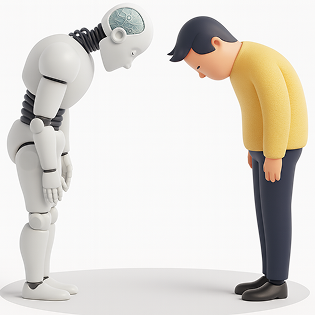
AI Empathy Layer

Interfaces can now detect emotional arcs, not just actions. A stressed user gets softer tones and simpler paths. A confident user gets faster workflows. The system mirrors emotional intelligence by responding in a comforting, human-like way.

3. Neuro-Inclusion

Neuro-Inclusion

Different brains process information differently. By adapting layouts, reducing distractions, or altering reading density, neuro-adaptive UIs create safer digital spaces for users with ADHD, anxiety, dyslexia, or sensory sensitivities.

4. Productivity & Retention
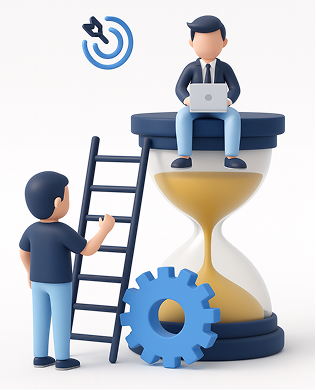
Productivity - Retention

Emotionally aligned experiences encourage trust and flow. When a system “feels” supportive, users learn faster, commit fewer errors, and stay engaged longer, directly impacting product adoption.

How It Works

1. Mouse Movement Speed or Pauses

Mouse Movement

Detects: Frustration, hesitation, or confusion
Response: Highlights tooltips, simplifies layout options, slows animations, or guides with micro-hints.

2. Eye Tracking or Camera Input

Eye Tracking or Camera Input

Detects: Distraction, fatigue, or wandering focus
Response: Reduces motion, adjusts brightness, increases contrast, or declutters the screen.

3. Voice Tone Analysis

Voice Tone Analysis

Detects: Stress, irritation, or urgency
Response: Shifts microcopy to a calmer tone or provides step-by-step instructions.

4. System Data (Time of Day, Workload)

 System Data (Time of Day, Workload)

Detects: Late-night usage, heavy task load, or deadlines
Response: Suggests short breaks, activates “focus mode,” or reduces interface density.

5. Biometric Feedback (Opt-in)
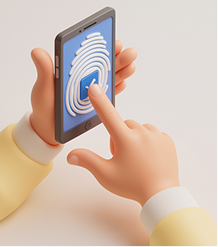
Biometric Feedback

Detects: Elevated heart rate, stress responses
Response: Calming visuals, slow animations, ambient backgrounds, or mental reset prompts.

Expanded Real-World Use Cases

1. Microsoft Viva + Copilot

Recognizes emotional patterns across the workday and gently nudges users to manage workload, reflect, or reset, boosting well-being at work.

Microsoft Viva - Copilot

This image illustrates how Viva + Copilot visualizes emotional patterns and work rhythms, helping users stay balanced and productive throughout the day.

2. Healthcare Dashboards

During critical moments, interfaces shift to high-contrast, low-distraction modes to support better decision-making for doctors and nurses.

The dashboard image shows a high-contrast, distraction-free interface designed for doctors to make quicker, clearer decisions during critical moments.

3. E-Learning Platforms

Track attention levels and learning fatigue to dynamically adjust difficulty, add breaks, or change the lesson style.

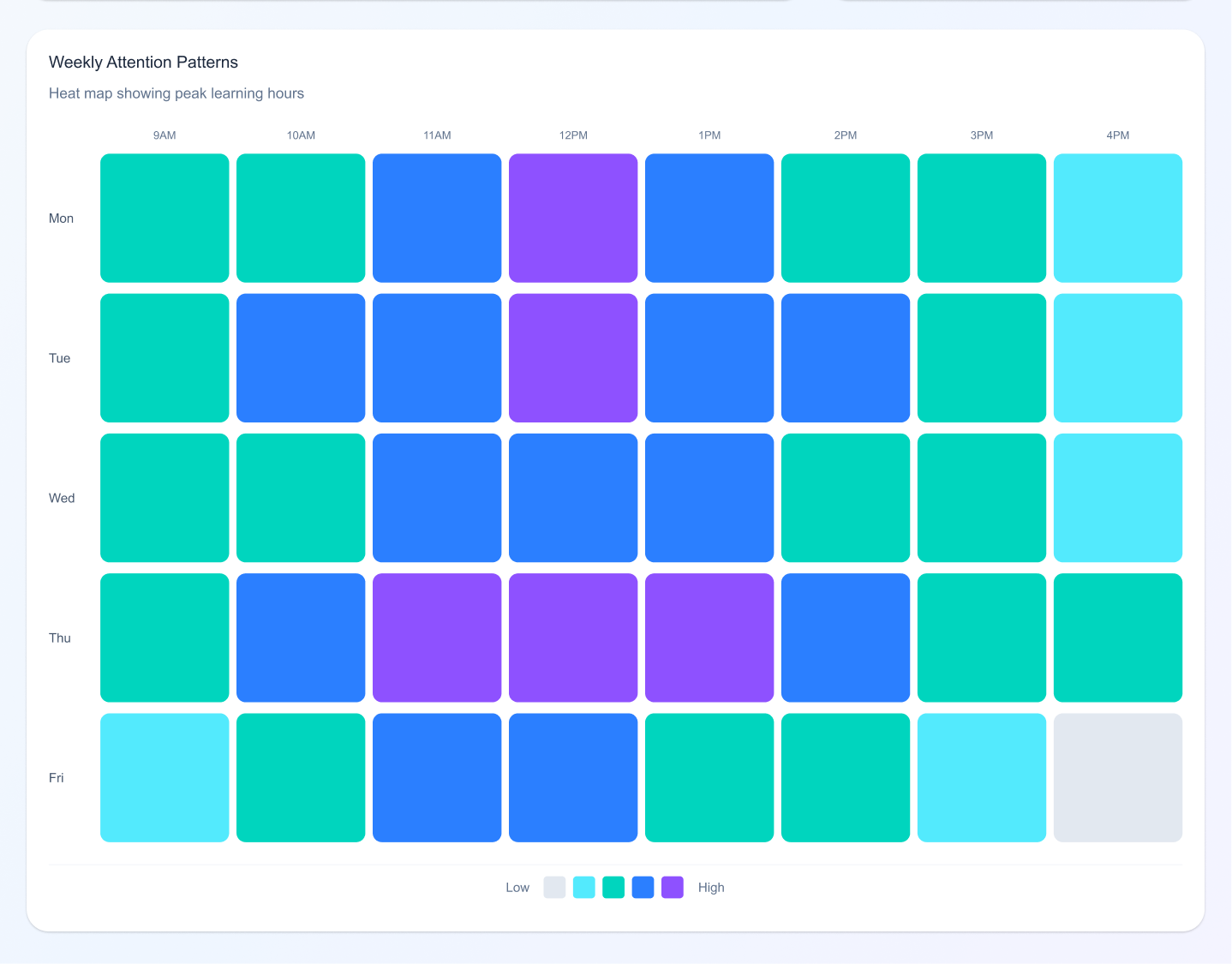
E-Learning Platform Dashboard UI
Neuro Adaptive Interface in E-Learning Platform Dashboard UI

This example shows an adaptive learning screen that adjusts lesson difficulty and pacing based on a student’s attention level and engagement.

4. Banking Apps

Detect confusion during transactions and simplify steps automatically, reducing drop-offs and errors.
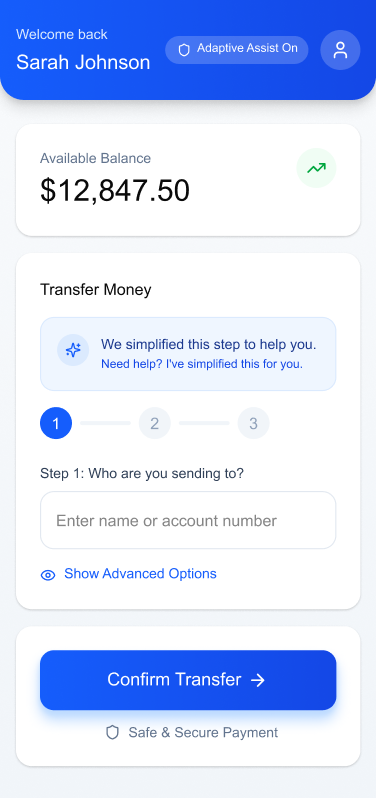
Neuro Adaptive Interface in Banking app

The banking UI demonstrates how steps can automatically simplify when confusion is detected, making complex transactions feel intuitive and safe.

5. Corporate Intranets

Enable “calm modes” during repetitive tasks soft colors, minimal UI, slower animations to reduce digital fatigue.
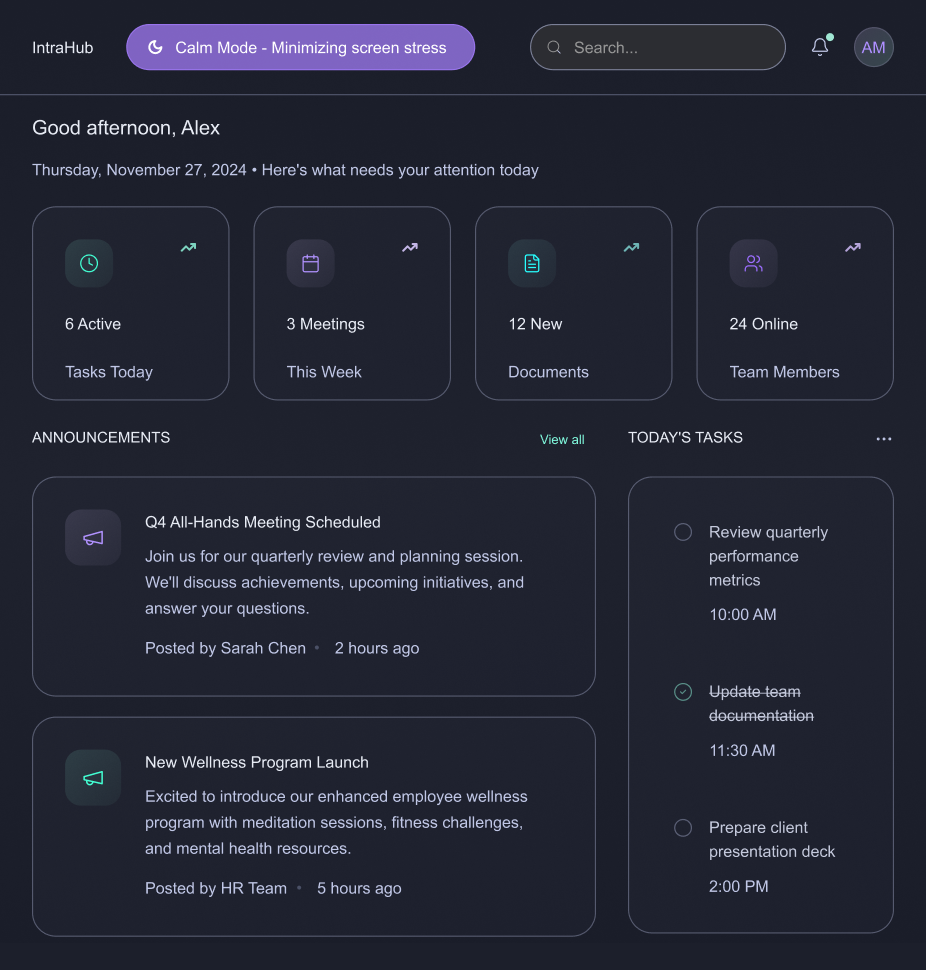
Corporate sharepoint Intranet template designs - Neuro Adaptive Interface

The intranet layout highlights a calm, minimal interface using soft colors and reduced visual noise to ease stress during repetitive workflows.

6. Productivity Tools

Apps like Notion, Asana, and Figma are beginning to experiment with emotion-sensitive features that adapt based on user pace and interaction mood.

Design Considerations for 2026 and Beyond

1. Privacy-First Emotion Tracking

Designers must ensure emotional data is opt-in, transparent, and stored responsibly. Users should always feel in control.

2. Avoid Over-Adaptation

Too much change can overwhelm users. Neuro-adaptive patterns must be subtle, predictable, and respectful.

3. Consistency with Human-Centered Language

Microcopy must balance empathy and clarity. Not every emotional signal needs a “comfort message”; sometimes simplifying the interface is enough.

4. Cross-Device Continuity

Emotion-aware experiences should sync across mobile, desktop, and wearable devices to maintain flow.

Conclusion

As we move into the next era of digital design, our role goes beyond usability. It’s about designing experiences that respect mental energy, emotional states, and human limitations.

Emotionally Intelligent and Neuro-Adaptive Interfaces remind us that great design doesn’t just speak, it listens, adapts, and supports.
This is the future of meaningful, human-centred digital experiences.

Ready to Create a Neuro-Adaptive Digital Workplace?
Book Your Free Consultation
Basic Template5
Basic Template4
Basic Template3
Basic Template2
Basic Template1
OOTB Template
Consumer Electronics Template
Healthcare Template 2
Real-Estate Template 1
Real-Estate Template 4
Transport Template 1
Environment sustainability Template 1
Environment sustainability Template 4
Digital Media Template 3
Digital Media Template 4
Digital Media Template 2

You may also like:‍

Intranet Design Checklist 2026 - Free ebook Download‍

‍How Good UX Drives Intranet Adoption?‍‍

Nature-Inspired UI/UX: Harnessing Biophilic Design for Enhanced User Experience‍

‍Cultural Sensitivity in UI/UX Design: A Global Perspective for 2025

No items found.

faqS

No items found.
Call-icon

Contact us

How can we help you?
Urgent? Book a time

Thank you!

We will get back to you in one business day.
If this is urgent, Please schedule a time
Oops! Something went wrong while submitting the form.

Subscribe to our Newsletter

Linked-In
Subscribe
Back to all blogs
Related blog
SharePoint Services

How to Change Classic SharePoint to Modern SharePoint (An Updated Guide)

November 11, 2025

The modern SharePoint experience is responsive, faster, mobile-friendly, and supports modern web parts,

Chipui Kasar
Chipui Kasar
SharePoint Services

A Guide to SharePoint: All You Need to Know About SharePoint and How to Implement It

November 6, 2025

Collaboration is the foundation that keeps any business intact. However, as your company grows,

Nivetha Janagaraj
Nivetha Janagaraj
SharePoint Services

The Ultimate Guide to Modern Intranet & Digital Workplace Success

October 29, 2025

Intranets have evolved far beyond internal news boards or file repositories.

Nivetha Janagaraj
Nivetha Janagaraj
k
Phone
Phone number
+91 98841 89463
+1 737 289 0434
Mail
E-mail
sales@sharepointdesigns.com
Business-Hours
Business-Hours
24/7
Clutch: Microsoft ECM Company 2023Clutch: Microsoft ECM Company 2023

SharePoint Designs is a leading provider of Microsoft ecosystem services covering apps, intranets, and other digital gateways. We offer out-of-the-box SharePoint development, implementation, migration, and maintenance solutions to build or increase business resilience, operational excellence, and employee productivity. Some of our SharePoint services are Microsoft SharePoint configuration, Microsoft Teams set-up, advanced document management, and streamlined external sharing.

SharePoint Designs’ expertise unlocks the value of Microsoft Power Apps and Power Automate. We help quickly develop and deploy desktop/mobile applications and multi-layered automated workflows. SharePoint Designs also delivers cost-effective Copilot studio services to bridge conversational gaps between employers and customers.

Our suite proficiency makes it effortless to design, manage, and monitor custom-built AI-driven chatbots that are catered to specific organizational use cases. SharePoint Designs is backed by a track record of friction-free integration and smooth deployment for multiple clients across the world. Our flexible pricing plans can meet the unpredictable demands of your business. We also provide 24/7 customer support at global and regional levels.

SharePoint Designs empowers businesses with both ready-to-deploy and fully customized Microsoft 365 solutions. Our product suite includes prebuilt Intranets, Document Management Systems (DMS), SOP Manager, Employee Onboarding, and Knowledge Management Systems (KMS) designed to get you up and running quickly.
For organizations with unique needs, we offer end-to-end SharePoint development, Power Apps, Power Automate workflows, and AI chatbot integrations.

We combine the speed and simplicity of productized solutions with the flexibility of tailored services. Whether you're streamlining internal operations or enhancing collaboration, we ensure seamless integration, fast deployment, and strong ROI.

Our team supports you every step of the way with scalable pricing and 24/7 assistance. At SharePoint Designs, we don’t just implement technology we help you get the most out of it.

LookbookModern SharePoint WebpartsBirthday Reminder WebpartWeather WebpartaboutPartnerscareers
Privacy PolicyTerms of use
Contact us
Solution
SOP & Policies ManagerDocument ManagementKnowledge ManagementEmployee OnboardingPerformance ManagementProject ManagementIntranet for Small Businesses
servicesIntranetsharePointSharePoint Design Servicesmicrosoft teams AppsPower PagesPower PlatformPower AppsPower automatePower BI (MS Fabric)Copilot StudioAI Agents
case studies
SharePoint Services
Microsoft Teams
Microsoft 365
Microsoft Power Platform
Power Apps
Power Automate
Power Pages
Azure Functions
blogsharePoint ServicesMicrosoft teamsMicrosoft 365Microsoft Power PlatformPower Appspower automatepower pagesazure functionsCopilotDesignPower BI (MS Fabric)Artificial Intelligence (AI)Microsoft Viva
Lookbook
Modern SharePoint WebpartsBirthday Reminder WebpartWeather Webpart
About
Solution
Document ManagementKnowledge ManagementEmployee OnboardingPerformance ManagementProject ManagementIntranet for Small Businesses
services
IntranetSharePointSharePoint Design ServicesMicrosoft Teams AppsPower PagePower PlatformPower AppsPower AutomateCopilot StudioAI AgentsPower BI (MS Fabric)
case studies
Power Pages
Azure Functions
Power Automate
Power Apps
SharePoint Services
Microsoft Teams
Microsoft 365
Microsoft Power Platform
blog
Copilot
Design
Power BI (MS Fabric)
Artificial Intelligence(AI)
Microsoft Viva
Azure Functions
Power Pages
Power Automate
Power Apps
Microsoft Teams
SharePoint Services
Microsoft 365
Microsoft Power Platform
careers
Link 1Link 2Link 3
CareersPrivacy PolicyTerms of use
CONTACT US
SharePoint Designs © 2025 All Rights Reserved.
facebook-logofacebook-logoLinkedIn-logotwitter-logo
Ask Alfred

faqS

No items found.